Turn any surface into a scannable touchpoint for your business with custom QR code stickers built to last.
Why Businesses Use QR Code Stickers
QR Code Sticker Ideas for Every Business Type
Product Brands and E-Commerce Sellers: Add a QR code label to your packaging that links to a product registration page, a how-to video, or a referral program. Sellers on Etsy and similar platforms can drive buyers back to their shop for repeat purchases with a simple sticker inside every shipment. See more ideas in our guide to how to sell stickers on Etsy.
Breweries and Beverage Producers: A QR code on your bottle or can label can link to batch notes, sourcing info, or a taproom event calendar. Brewery sticker culture already thrives, so a scannable element adds utility without sacrificing the collectible appeal.
Events and Conferences: Stick QR codes on lanyards, table tents, swag bags, and booth backdrops to connect attendees with speaker bios, schedules, or lead-gen forms. Production at Stickers.com is as fast as 2 business days, so last-minute event orders are manageable.
Nonprofits and Community Organizations: Use QR stickers on flyers, donation jars, and event signage to link directly to your donation page or volunteer signup. Read more about how stickers serve nonprofit campaigns.
Bands and Creators: Apply QR stickers to merch tables, instruments, or gear cases to link fans to streaming profiles, mailing list signups, or exclusive content. The stickers double as merchandise in their own right.
Best Practices for Designing Scannable Sticker Labels
Common Questions About QR Code Stickers
- Can you make QR code stickers?
- Yes. Stickers.com prints custom QR code stickers on vinyl in any size from 2x2 inches up to 12x12 inches. You supply the QR code image as part of your artwork file, and we print, cut, and ship it to you. The stickers are yours to keep and apply wherever you need them. You can add your logo, brand colors, a call-to-action line, or any other design element around the code.
- What is a QR sticker?
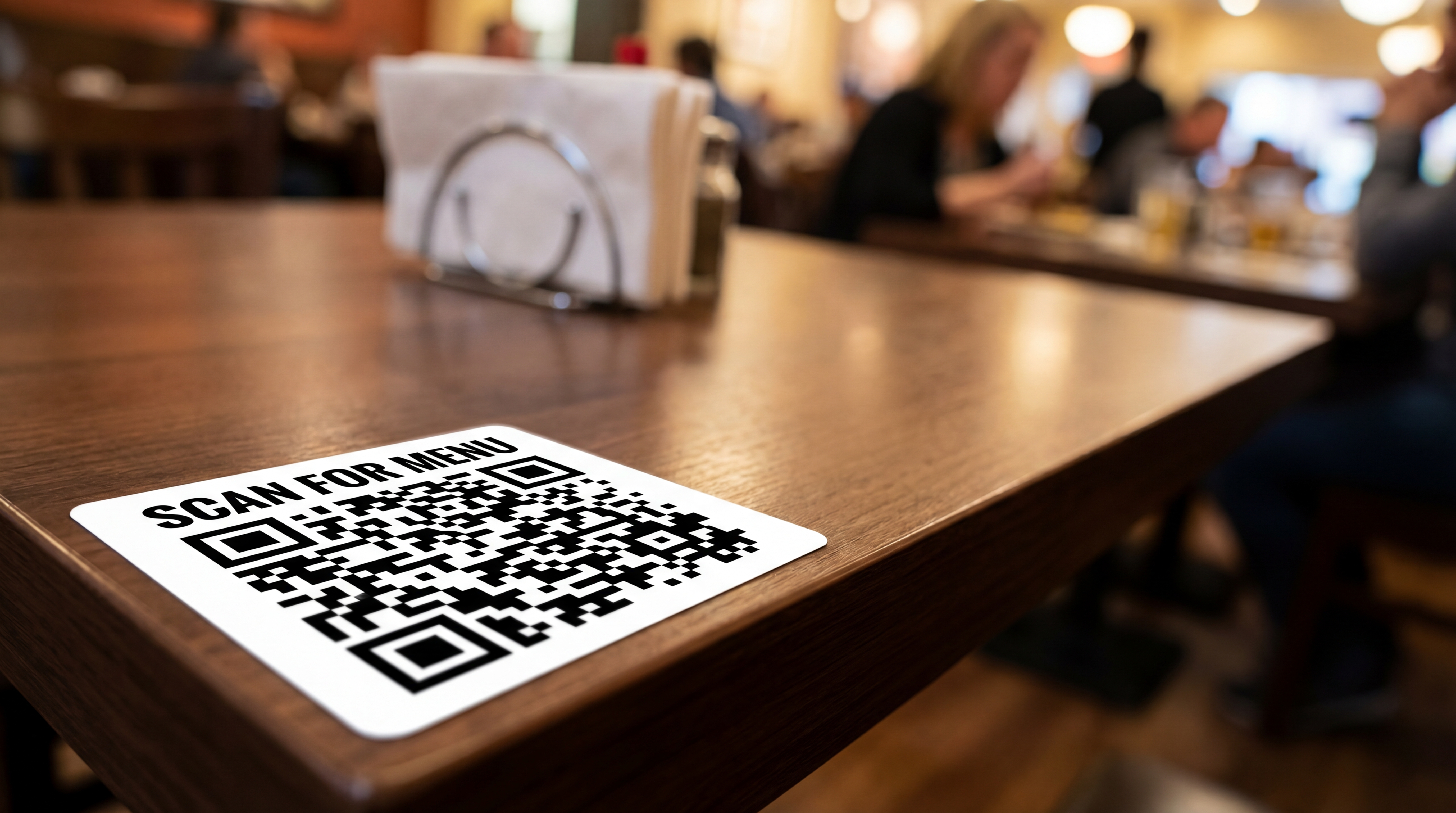
- A QR sticker is a printed adhesive label that contains a Quick Response (QR) code. When a smartphone camera is pointed at the code, it instantly opens a URL, displays contact information, triggers an app download, or performs another pre-programmed action. QR stickers are used by businesses, restaurants, event organizers, and product brands to connect physical objects to digital destinations without requiring customers to type anything.
- Why should we be careful in using QR codes?
- The main risks with QR codes involve the destination URL, not the sticker itself. Always link to a secure, trusted URL (https) that you control. Avoid shortening services that could expire or redirect unpredictably. Test the code before printing a large order to confirm it scans correctly and lands on the right page. For physical stickers, use a dynamic QR code service so you can update the destination URL after printing without reprinting the sticker. Also double-check the code image has enough quiet zone (white border) around it and is printed at a size large enough for a phone camera to read reliably.
- What material should I choose for outdoor QR code stickers?
- For outdoor use, Standard Vinyl or Premium Vinyl are the right choices. Standard Vinyl carries a 3-5 year outdoor durability rating with UV, scratch, and moisture-protective lamination. Premium Vinyl extends that to up to 8 years and is better for curved surfaces like vehicles, helmets, or equipment. Economy Vinyl is best for indoor applications such as laptop stickers, packaging inserts, or table displays.
- What size should a QR code sticker be?
- A QR code needs to be large enough for a smartphone camera to decode reliably. The minimum practical printed size is around 1x1 inch for a simple code in good lighting, but 2x2 inches is a safer floor for real-world conditions. For wall, window, or equipment placement where someone scans from a distance, 3x3 inches or larger works better. If you are adding branding, a call-to-action, or a logo inside the code, go larger so the code itself stays readable.
- How do I prepare my QR code artwork file for printing?
- Export your QR code as a high-resolution PNG or SVG at a minimum of 300 DPI for the intended print size. Make sure the quiet zone around the code (the white border) is intact. Avoid stretching the code unevenly. If you are adding a logo to the center, keep it within roughly 30 percent of the total code area to avoid disrupting scan accuracy. Submit the full design including any surrounding branding as a single flat file.
Which Vinyl Material Is Right for Your QR Code Sticker?
Choosing the right material depends on where the sticker will live and how long it needs to last. Stickers.com offers three vinyl grades for die-cut and custom-cut stickers.
| Material | Best Use Cases | Outdoor Durability | Finish Options | Key Feature |
|---|---|---|---|---|
| Economy Vinyl | Packaging inserts, laptop stickers, indoor displays, trade show handouts | Up to 3-5 years with proper care (indoor recommended) | Glossy or Matte | UV-protective lamination; lowest cost per unit |
| Standard Vinyl | Storefront windows, outdoor signage, product labels, equipment | Up to 3-5 years outdoor | Glossy or Matte | UV, scratch, and moisture protection; air release technology |
| Premium Vinyl | Vehicle wraps, helmets, marine equipment, curved surfaces, long-run outdoor use | Up to 8 years outdoor | Glossy or Matte | Toughest vinyl available; air release technology; handles contoured surfaces |